
On December 15, 2025, Zoom released an update to its desktop app (version 6.7.0) that introduces a redesigned interface to make navigation more intuitive. The most notable changes in version 6.7.0 are the relocation of your primary navigation tools when not in a meeting and the consolidation of your toolbar, settings, and host control menus during a meeting/webinar. You can find additional details about both sets of changes below.
Main desktop app view
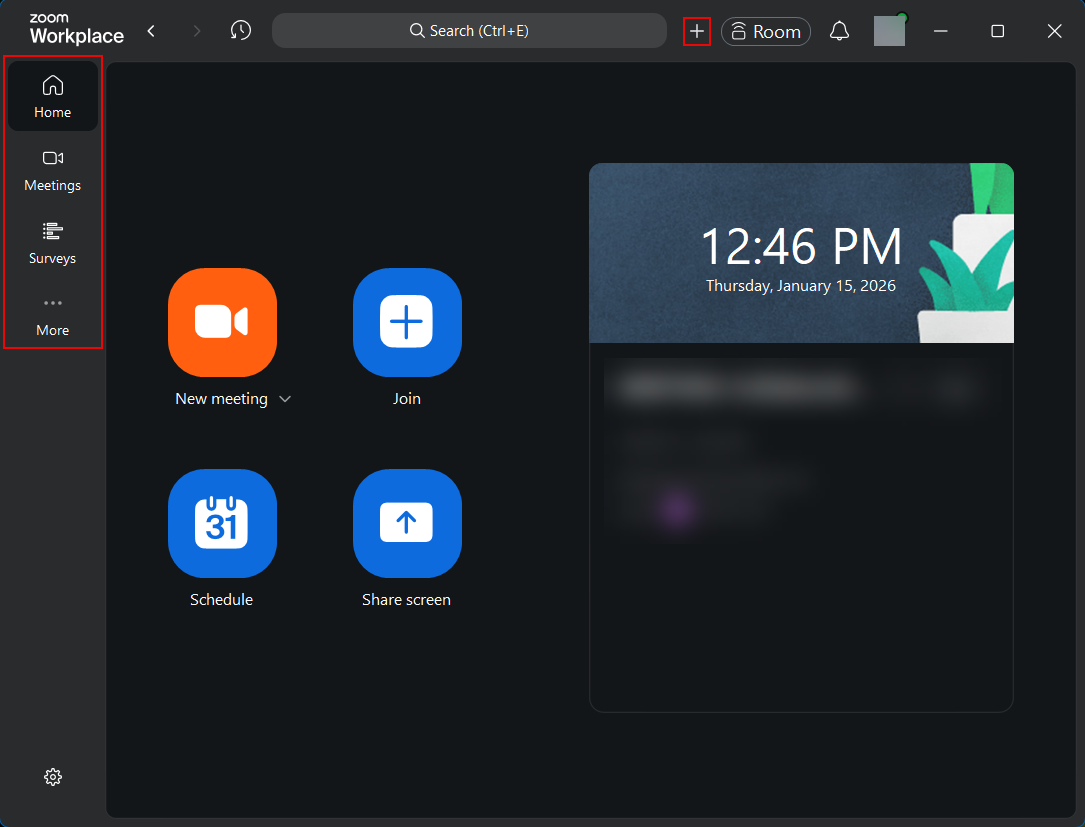
The following are the major changes you will notice in the main desktop view after updating:
- Left-side navigation: The main navigation bar, which previously appeared at the top of the app, has moved to the left. This area includes the Home, Meetings, Contacts, and Surveys tabs.
- Customizable tabs: You can now rearrange or hide the left-side navigation tabs. (Hidden tabs can be found under the More tab.)
- New quick action menu: A plus (+) icon has been added to the top toolbar that allows you to quickly schedule an event or start a new meeting, regardless of the tab you’re currently viewing.
In-meeting/webinar experience
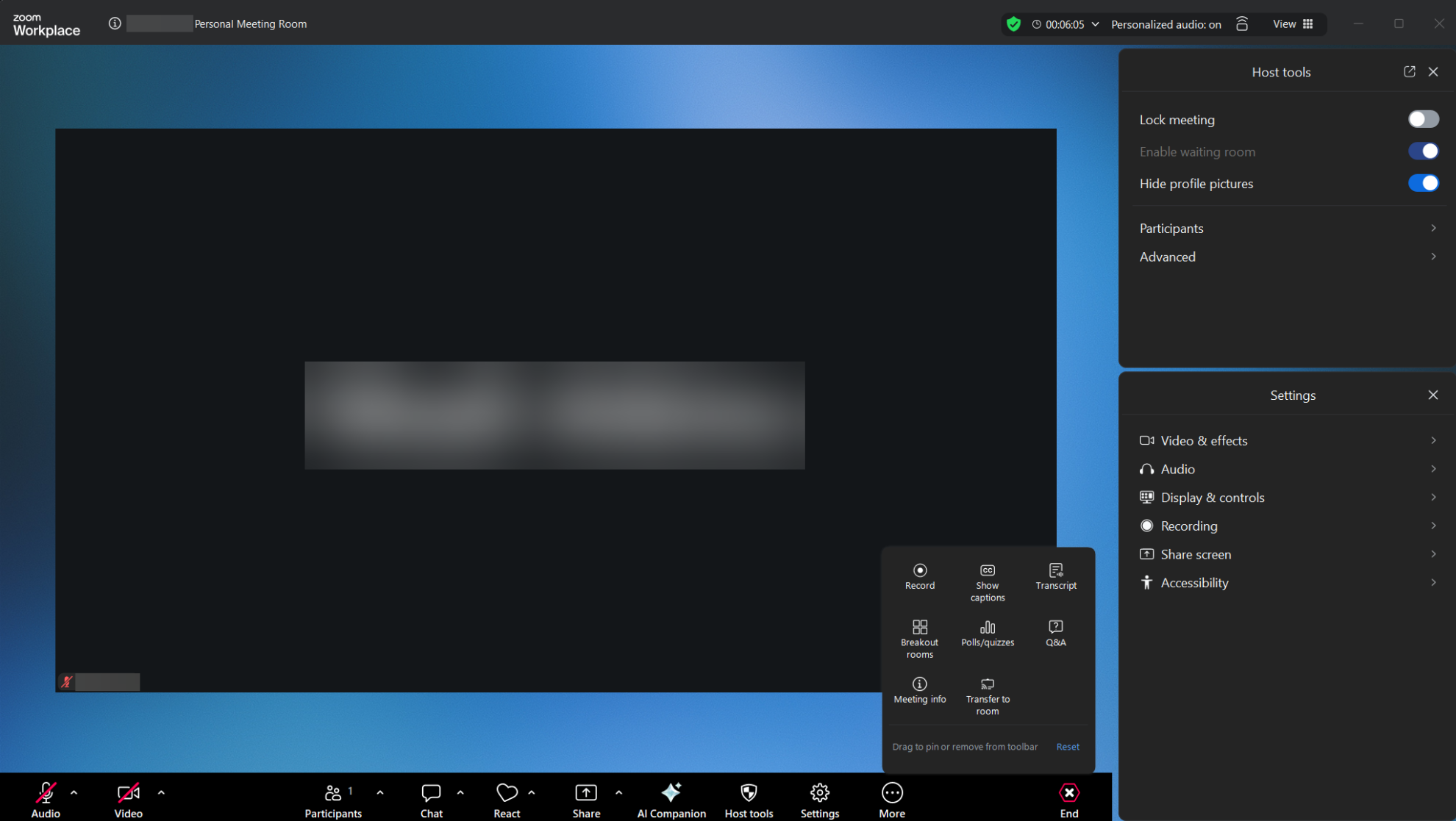
The following are the major changes you will notice while in a meeting/webinar after updating:
- Customizable in-meeting/webinar toolbar: The toolbar only shows a few essential controls for a more focused experience. You can customize what’s visible in the toolbar based on the tools you use most frequently by clicking the More menu, and then right-clicking or drag-and-dropping the tools you’d like pinned.
- When you use a tool not currently pinned, it will temporarily pin to the toolbar. If you would like it to persist in your customized toolbar, ensure you right-click the tool button and select Pin to toolbar.
- More accessible settings and host tools: All settings and host tools are now in one right-hand panel accessible via the Settings and Host tools buttons in the toolbar. You can also access settings specific to each tool from this panel via the caret (^) menus on some buttons in the toolbar.
- Updated left header to show the meeting/webinar name and a drop-down that provides quick access to session details.
Zoom has also improved the meeting toolbar and More menu in the Zoom mobile app to bring consistency between the desktop and mobile experiences.
The new interface is currently available to the university community. We recommend checking your desktop app’s current version and updating to 6.7.0 if you have not already. (This update was made available to all MiWorkspace managed machines on December 18, so no further action is necessary.) Refer to Zoom Support for more information on navigating the Zoom desktop app and a visual guide of the 6.7.0 changes.