
Note: An emergency release on May 6 resolved two issues: EHS Medical Surveillance Form, and Protocol Workspace Training tab Cornerstone reports. See the 6.0 Fixes Release Notes for details.
The eRAM system release to 6.0 for May 3 includes an upgrade to the latest vendor framework (Huron Portal Version 10.0.7). The release has the following minor look and feel changes, navigation enhancements, and accessibility improvements.
- Home Workspace updates
- Project Workspace updates
- Searches and Report updates
Updates for all eRAM Roles
Home Workspaces
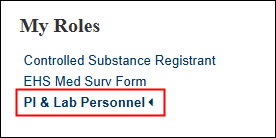
My Roles menu
Current dashboard/workspace indicator: A new arrow icon was added next to the role name, (e.g., Controlled Substance Registrant, EHS Med Surv Form, PI & Lab Personnel, etc.) to further indicate which dashboard or home workspace is currently selected. In addition, the roles were reordered to be listed alphabetically.
Tab listers
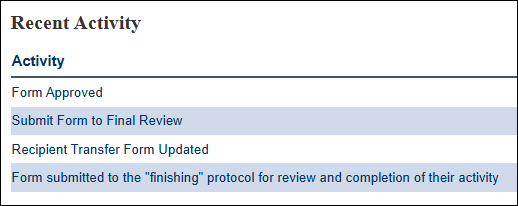
Row shading: To help with readability, every other row of listers and data tables appears shaded.
Example of "Recent Activity" lister
Project Workspaces (Protocols, Use Forms, Visits, etc.)
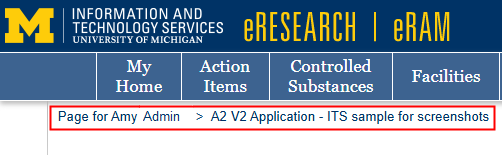
Breadcrumb trail
The Path tab was removed; it was previously to the left of My Home. The Breadcrumb trail now always shows to allow easier access to navigate to the previous page or workspace.
Row shading
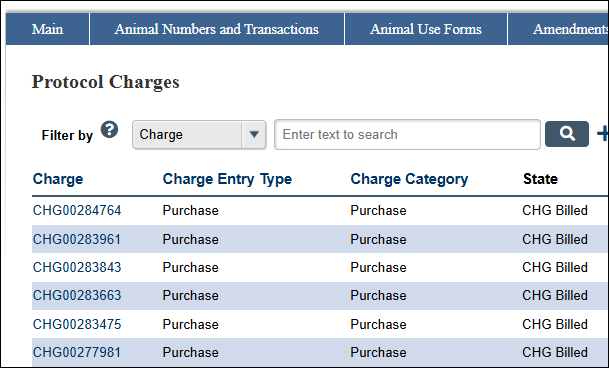
Similar to alternate row shading on Home workspace tab listers, every other row of data tables and search results are shaded within project workspaces to improve readability.
Example of "Protocol Charges" lister
Filter by
If Filter by options appear grayed-out, it means they are unavailable for use while search results are loading below it. Before and after a search is complete, it will be available to use.

Active History and Change Tracking
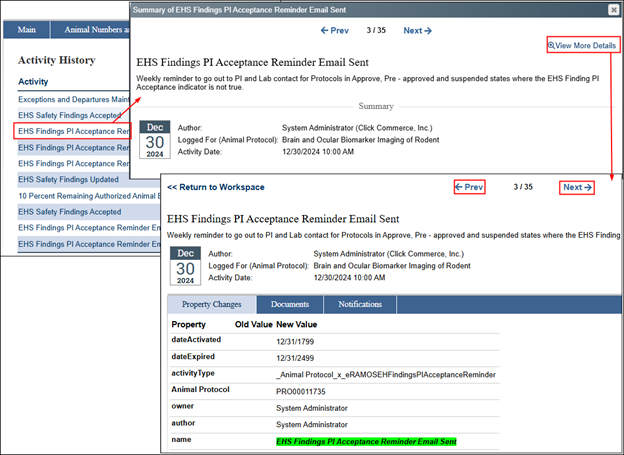
When clicking an activity from the “History” tab, a “Summary of [Activity]” window will slide-in. Click the "View More Details” link to see additional information about the activity changes in a new window. Use the ← Prev(ious) and Next → links to navigate through the activities and changes.
History tab > Activity link > Summary > View More Details
Protocol Workspace
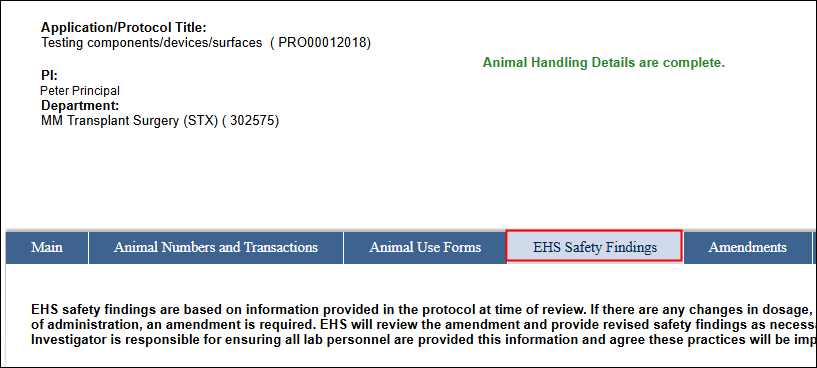
Moved the EHS Safety Findings tab over on the Protocol workspace so comes after the Animal Use Forms tab.
Searches and Reports
Export to CSV
The “Export” button on certain workspace tabs and reports was enhanced and renamed. After clicking the "Export to CSV" button, the button text may indicate “please wait…” and the percentage “% complete” (for reports with larger results).
Export to CSV button with % complete

Additional Information
- Refer to the announcement from the Animal Care Use & Program News: eRAM System Upgrade, Outage Scheduled for Early May.
- Visit the ITS Service Status Scheduled Maintenance for eRAM